
MCP
Voxt's Model Context Protocol (MCP) server lets an assistant discover and manage your chats and places, read and write messages (including streamed text and voice), upload attachments, and read search results, notifications and conversation summaries. It acts as the account that signed in; existing chat permissions still apply.
The main scenario MCP is built for: you let your assistant work in your chats. It reads a conversation, summarizes it, shares an update, and, when you ask, answers on your behalf. For example, after you and a few colleagues discuss an issue in a chat, tell an assistant such as Claude to look at that chat and address the issue you just discussed, then to post the result back. Messages posted this way are marked as API-authored.
- Tool reference: all 70 tools, grouped by purpose, with arguments and results.
- Data structures: every MCP result type and identifier.
- RPC API: the broader programmatic interface.
Connect a client
There are two ways to authenticate.
API key. Use it for scripts and clients that cannot run a browser sign-in.
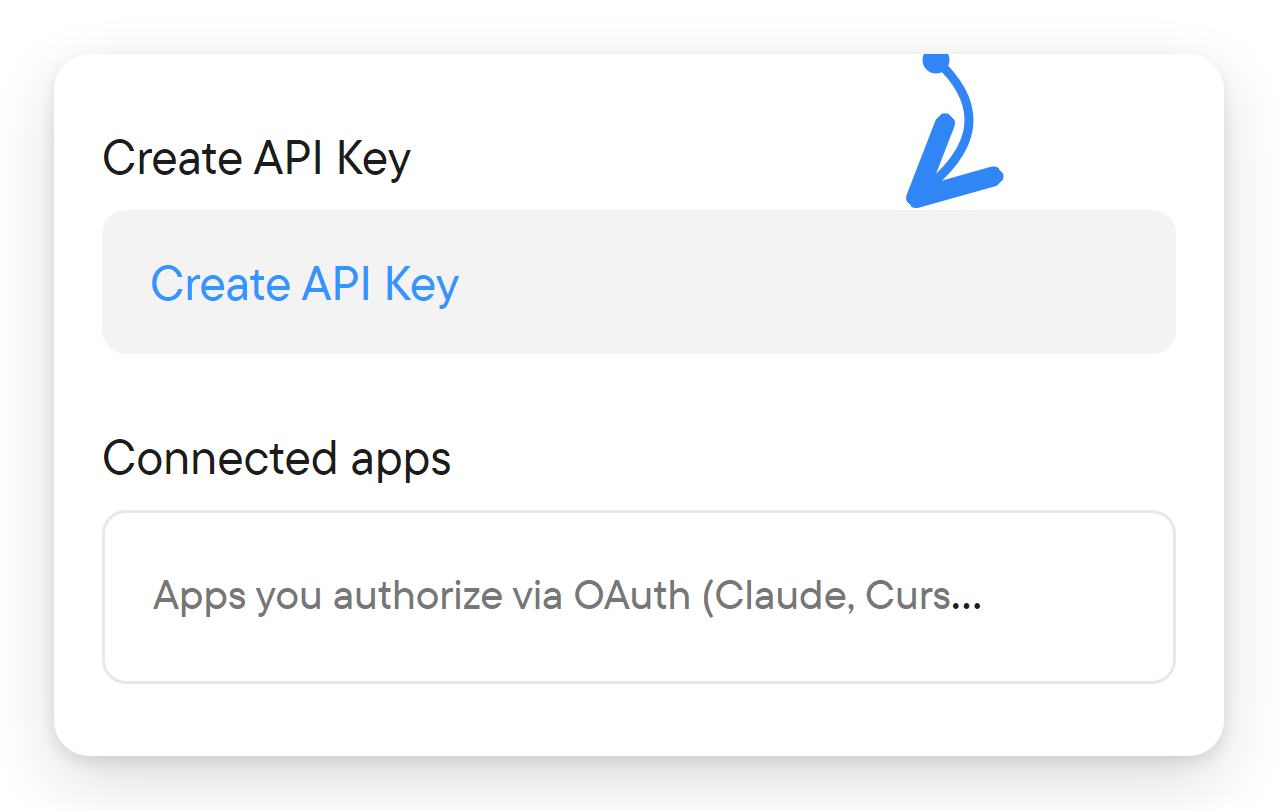
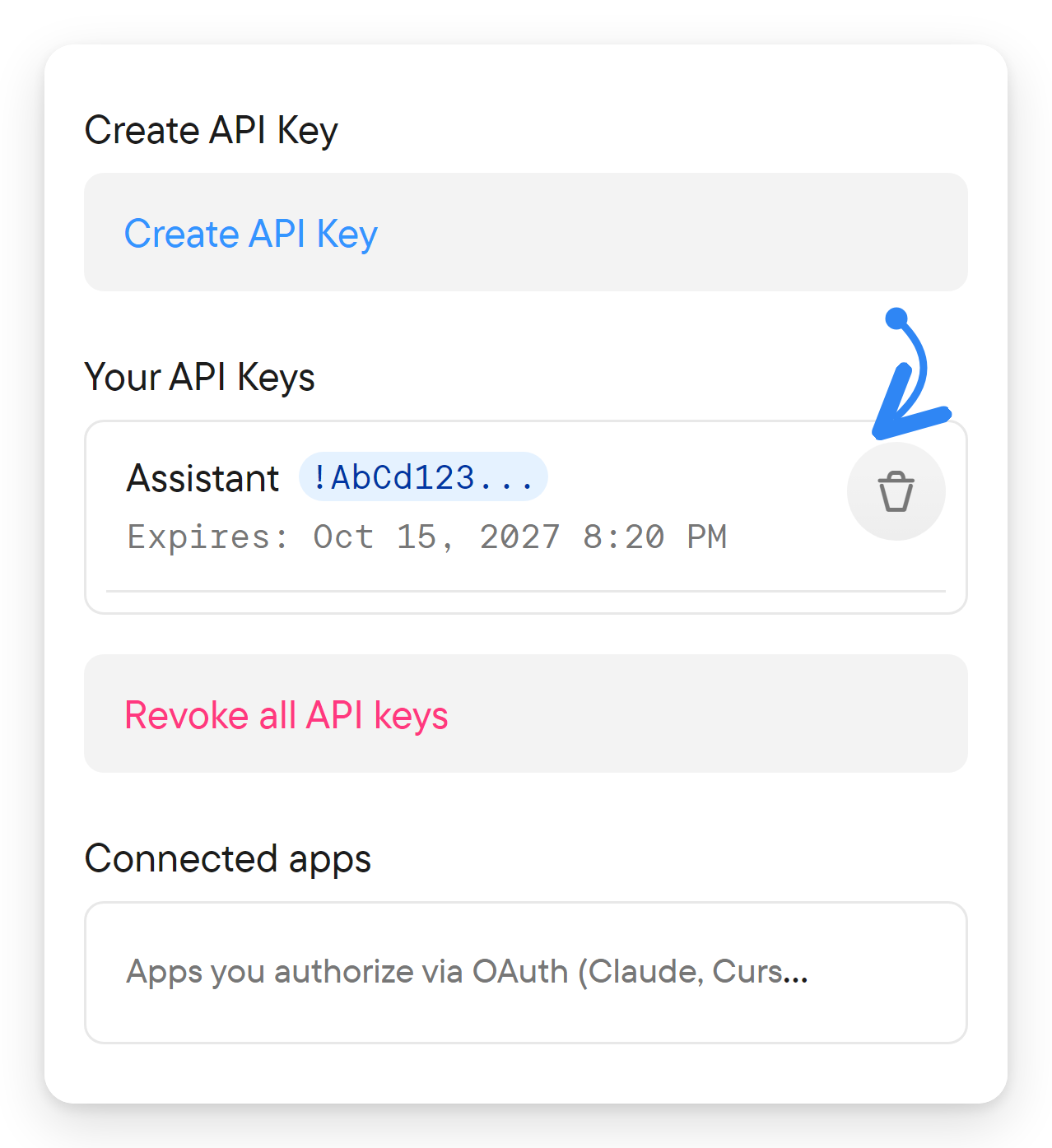
- In Voxt, open Settings → API Keys → Create API Key.
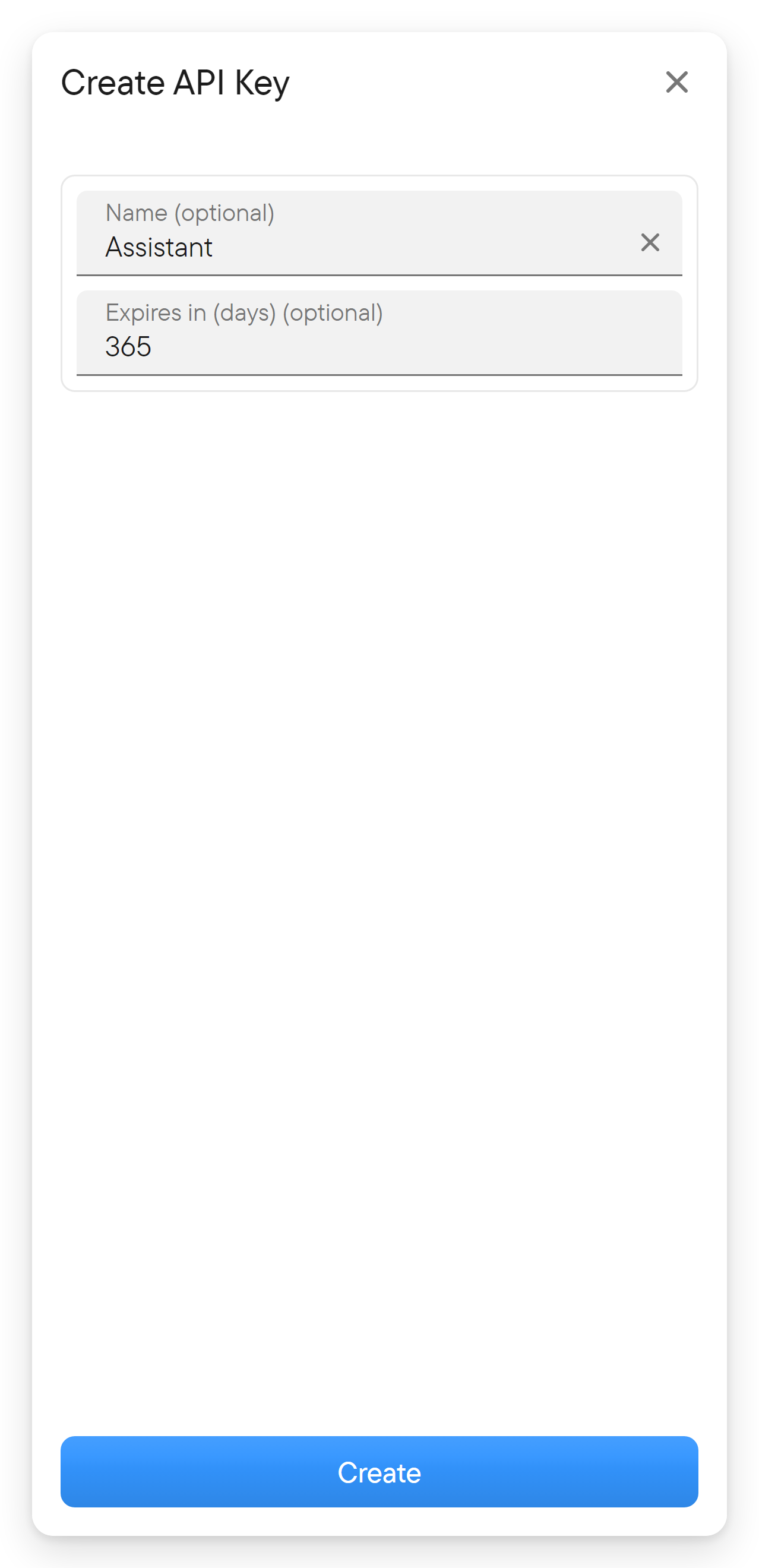
- Give the key a recognizable name and choose its expiry in days.
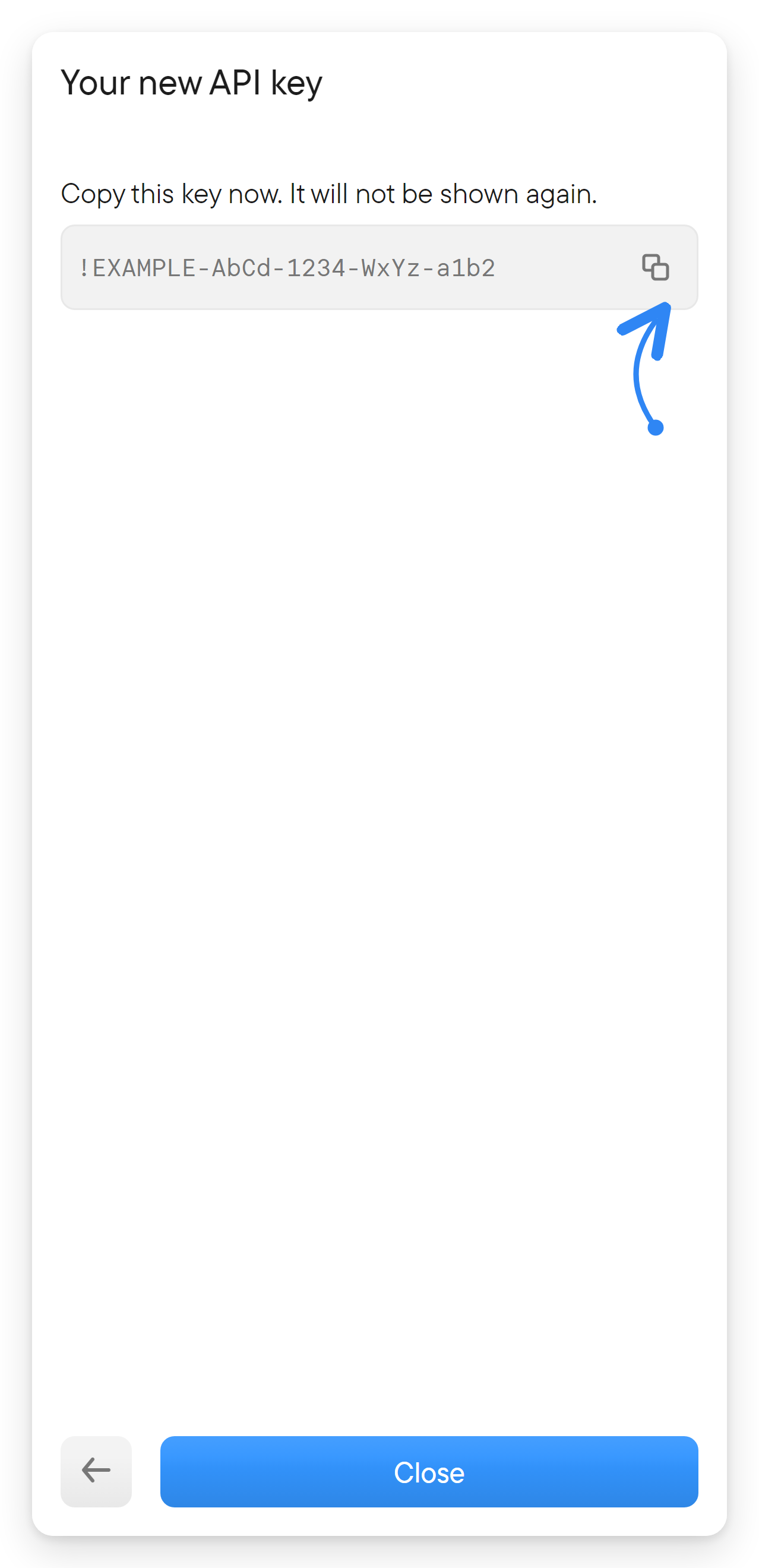
- Create the key and copy it from the reveal screen. Store it in your client's secret storage; do not put it into shared prompts or repositories.
- Add a remote HTTP MCP server in your client, using the URL and header below.
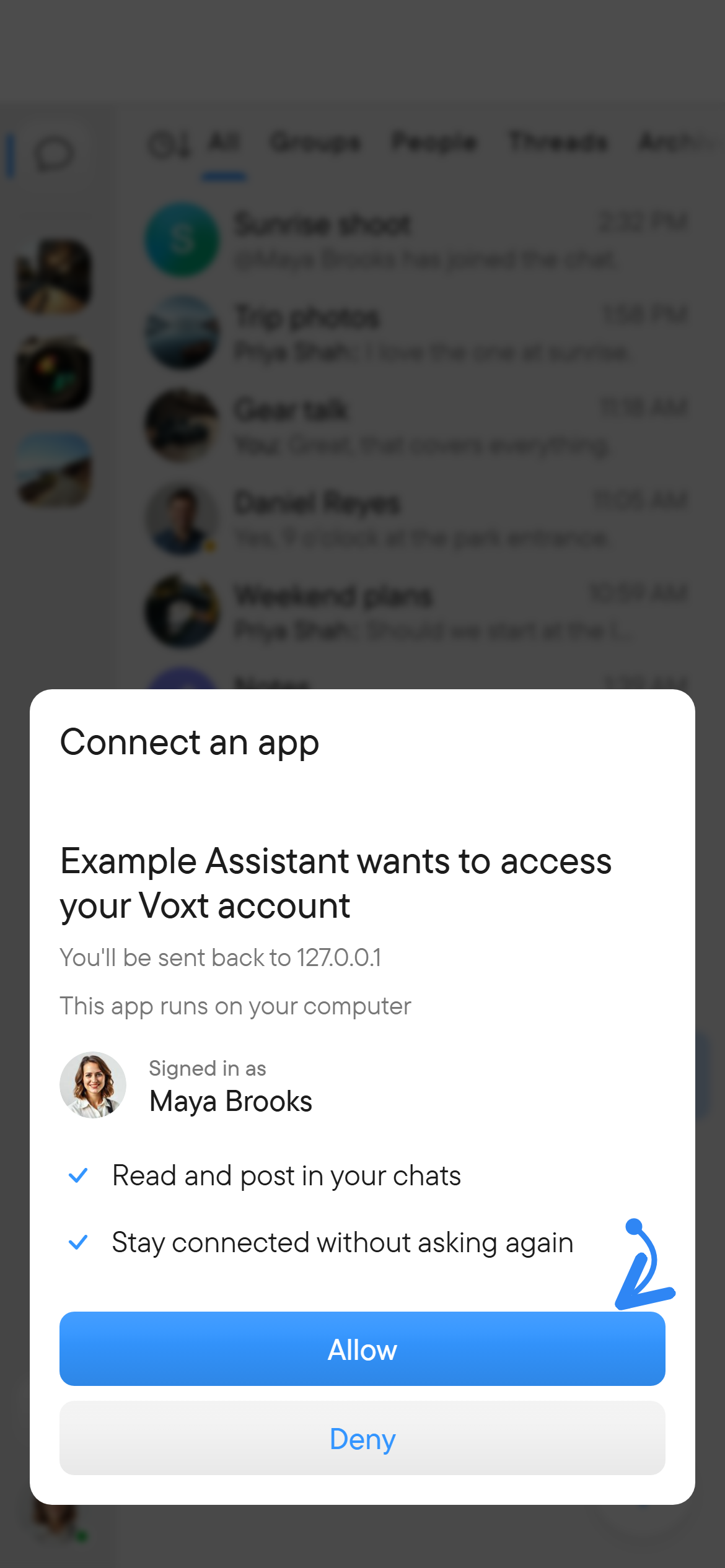
OAuth sign-in. A client that supports the MCP authorization flow can discover the server's authorization endpoints itself, register as a client, and ask you to approve access on a Voxt consent page. No key needs to be created or pasted.
| Setting | Value |
|---|---|
| Endpoint | https://voxt.ai/mcp (default route; see below) |
| Transport | HTTP MCP (stateless server) |
| Header | Authorization: Bearer <your-api-key-or-oauth-access-token> |
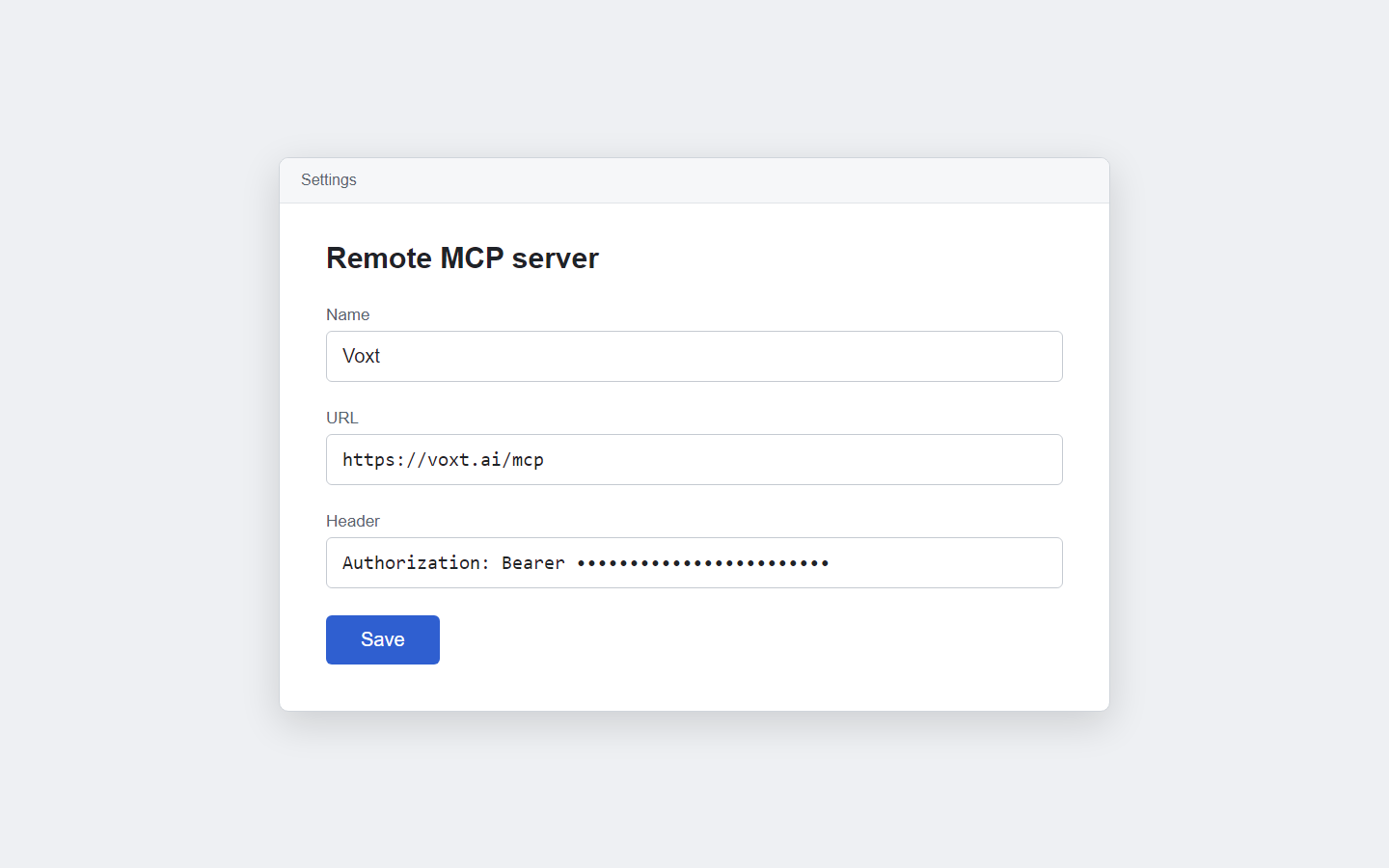
Use the same deployment for the key and endpoint. The route defaults to /mcp (earlier revisions used /api/mcp); server configuration can change or disable it, so confirm the path for the deployment you use. Your client must support remote HTTP MCP with a custom Authorization header, or the OAuth flow. Its configuration file format depends on the client.
On connection the server sends its name (Voxt), the product API version and usage instructions (see Post and stream messages). Once connected, ask the client to list available tools, then list your places or chats. Select a returned chat ID before asking it to read or write messages.
Authentication and errors
The endpoint accepts a Bearer token of one of two kinds:
- An active, unexpired API key linked to a signed-in (non-guest) user.
- An OAuth access token issued by Voxt's authorization server for the
mcpscope. Access tokens last one hour by default and refresh tokens (scopeoffline_access) 90 days; both are configurable on the server.
A browser session token is not accepted. A missing or malformed header, an inactive key, or an invalid, expired or revoked token produces HTTP 401. The response carries a WWW-Authenticate: Bearer header with the realm Voxt, a resource_metadata URL and the scope mcp offline_access, so OAuth-capable clients can start authorization. The metadata document is served at /.well-known/oauth-protected-resource; it lists the authorization server and supported scopes. The authorization server exposes /oauth/authorize, /oauth/token, /oauth/revoke and /oauth/register (dynamic client registration); clients can also identify themselves with a client-metadata document URL.
A valid credential does not bypass chat membership or writing permissions. When a tool fails because of invalid input, a missing object or a permission problem, the server returns an MCP tool error whose message states the reason; other internal errors are reported generically. Check each result's isError before using its data.
Remove a key with the trash button next to it in Settings → API & apps when an integration no longer needs it; the key stops working immediately. Revoke all API keys removes every key and disconnects all integrations that use them.
Typical workflow
- Call
get_meto learn your user ID, thenlist_placesandlist_place_chatsfor a chosen place; or calllist_group_chats/list_peer_chatsdirectly. - Call
list_messageswith that chat's returned ID. - Continue from the final message ID to read further pages.
- Use
post_messageto publish text, optionally as a reply or with attachments uploaded throughbegin_upload,append_uploadandfinish_upload. Keep its returned local message ID if you need to edit or remove that message later. - To be heard as well as read, stream text with
start_message_stream, or send your own audio withstart_voice_stream.
Posts and edits made through an API key are marked as API-authored in Voxt.
To bring history from another service into a chat, with the original authors and dates, use the import tools; the process is described in Import and export.
Current scope
The server has 70 tools: account and avatars, chats and members, invite links, places, messages, reactions, pins, streamed text and voice messages, resumable uploads, media/file/link listings, summarized conversations, history import, search, and notifications (list, wait for and dismiss). There is no tool for live video or for changing notification settings. The server identifies its version during MCP initialization; it has no separate version-query tool.
For exact capabilities and argument schemas, use the connected server's tool list. This guide describes the committed source revision recorded in this page.
Source
Source files at d2eee636e0f13804421d2864a9575fa21ab6c940: server registration and transport, authentication, server instructions, OAuth settings and API key form.